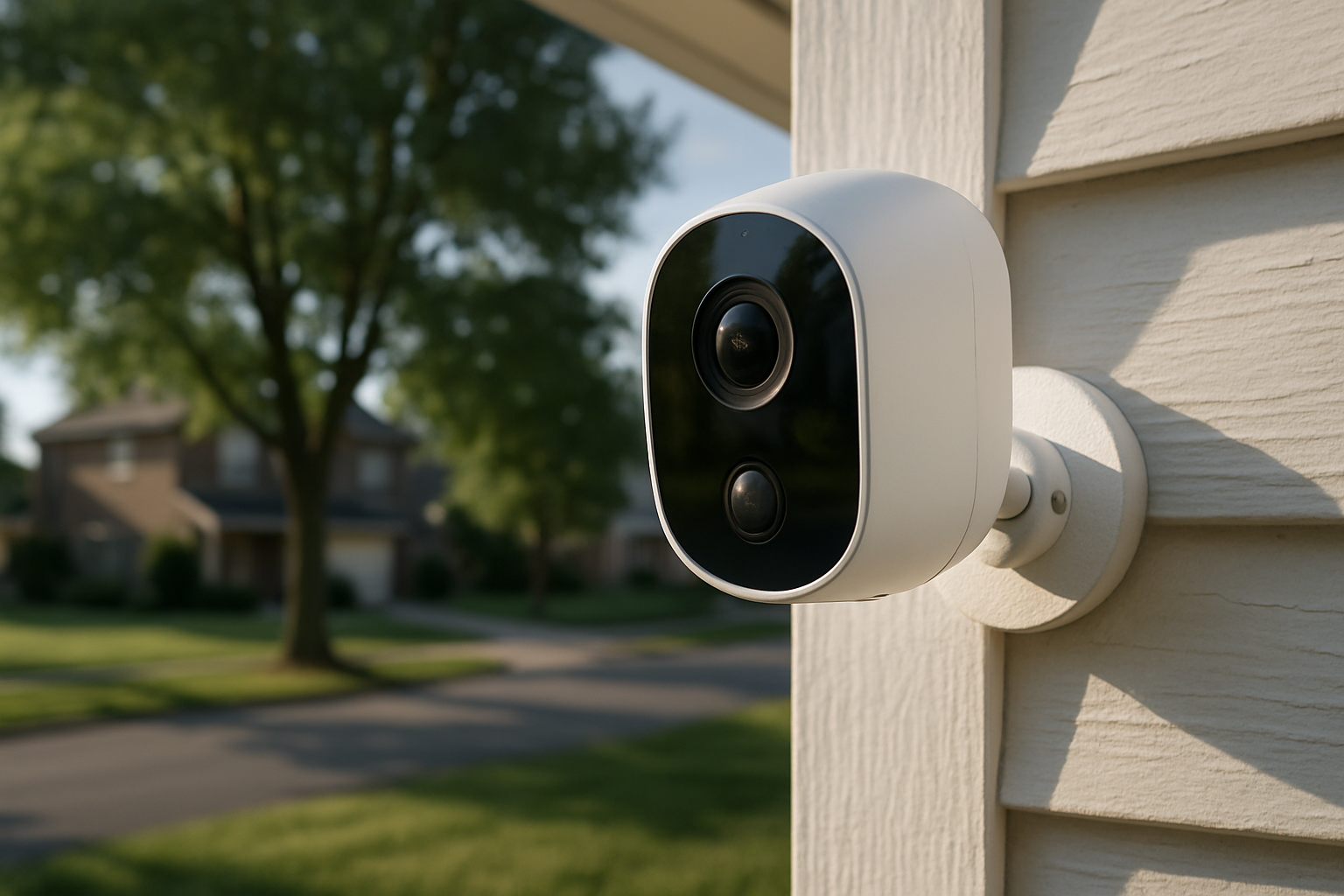
Are Home Security Cameras Actually Worth It? The Honest Answer
Burglaries happen every 25.7 seconds in the United States. More importantly, studies consistently show that visible security cameras cause roughly 60% of would-be burglars to move on and target somewhere else. So before we dig into brand names, pricing, and technical specs, the short answer is: yes, for most homeowners, security cameras are worth it — but with conditions.
The longer answer depends on where you live, what you're protecting, how technically comfortable you are, and whether you're willing to pay ongoing subscription fees. A $400 camera sitting in a box because setup was confusing is worth exactly nothing. A $70 camera pointed at your front door that you actually check is worth quite a lot.
This guide cuts through the marketing noise and gives you a grounded, honest assessment. No fluff.
How Much Do Home Security Cameras Really Cost? (Upfront + Ongoing)
Most people dramatically underestimate the total cost of a camera system because they only look at the shelf price.
Upfront Hardware Costs
Entry-level cameras run $30–$80 each. Think Wyze Cam v3 ($35), Blink Outdoor 4 ($70 for a single unit), or the TP-Link Tapo C310 ($40). These are legitimate cameras with decent night vision and motion detection — not junk.
Mid-range cameras sit between $100–$200 each. This tier includes the Google Nest Cam (Outdoor, Battery) at around $180, the Ring Spotlight Cam at $150–$200, and the Arlo Pro 4 at about $170. You get better video quality, wider fields of view, and more reliable motion detection.
Premium cameras start at $200 and climb fast. The Arlo Ultra 2 runs $250+. Professionally monitored systems from ADT or Vivint can push $500–$1,500 for a full installation, plus locked-in monitoring contracts.
A typical homeowner protecting front door, back door, driveway, and one indoor space needs 4–5 cameras. Do that math at the mid-range tier and you're at $600–$800 before subscriptions.
Ongoing Subscription Costs
This is where the sticker shock hits. Here's a realistic breakdown:
- Wyze Cam Plus: $2.99/month per camera or $9.99/month for unlimited cameras
- Ring Protect Plan: $10/month for one home (covers all cameras); $100/year
- Nest Aware: $8/month for 30-day history; $15/month for 60-day history
- Arlo Secure: $8/month per camera or $13/month for a whole home
- Blink: $10/month for unlimited cameras or $3/month per device
If you're using Ring cameras and want video history across 4 cameras, you're spending $120/year minimum. That's not a dealbreaker, but over 5 years it adds $600 to your system cost. Factor it in before you buy.
Some cameras avoid subscriptions entirely. Wyze cameras work locally with a microSD card. Many Reolink cameras ($50–$150) store footage on-device for free. If ongoing fees bother you, these are worth a serious look.
What the Research Says: Do Security Cameras Deter Crime?
Let's look at actual data rather than what a security company's marketing department claims.
A landmark study from Rutgers University studied 52 public housing sites in Newark, NJ. Neighborhoods with visible surveillance cameras saw a statistically significant drop in crime — particularly violent crime and car theft — in a radius extending beyond the cameras themselves. The deterrence effect bled outward.
A University of North Carolina study surveyed 422 convicted burglars. 83% said they checked for cameras before attempting a break-in. 60% said they would abandon the attempt if they spotted one. Only 17% said cameras wouldn't affect their decision at all — and those were mostly opportunistic thieves or those in desperate situations.
The conclusion: cameras work best as a deterrent for planned, deliberate burglaries. They're less effective against truly impulsive crime or someone who simply doesn't care.
Camera footage also has practical value after the fact. Insurance companies increasingly accept camera footage as evidence for claims. Law enforcement can use it to identify suspects. And honestly, the number of cases resolved through Ring Neighbors footage or doorbell camera clips shared on social media shows that footage matters for real investigations.
There is a counterargument worth taking seriously: cameras don't stop a crime in progress. If someone smashes your window and is in and out in 4 minutes — the average residential burglary takes just 8–10 minutes — the camera captures the event but doesn't prevent your TV from leaving with a stranger.
That's not a reason to skip cameras. It's a reason to combine them with other measures: solid deadbolts, motion-activated lights, and not broadcasting that you're out of town on Instagram.
The Real Benefits of Home Security Cameras Beyond Burglary Prevention
Burglary is the headline benefit, but it's not the only reason people find cameras worth the cost.
Package theft monitoring has become one of the top reasons people install doorbell cameras. Americans lost over $12 billion to porch piracy in 2023. A Ring Video Doorbell or Google Nest Doorbell lets you see deliveries in real time, speak to delivery drivers through two-way audio, and gives you documentation if a package walks away.
Monitoring contractors, house sitters, and service workers is quietly one of the most valued use cases. If a plumber is working in your basement while you're at the office, a camera gives you peace of mind. If your house sitter claims they came by but your dog looks like they haven't eaten, camera footage tells the real story.
Keeping tabs on kids and elderly family members matters enormously to a lot of households. Indoor cameras let parents check in on teenagers coming home from school or elderly parents who live alone. The Wyze Cam v3 costs $35 and handles this perfectly.
Reducing insurance premiums is a less-discussed financial benefit. Many home insurance providers — including Nationwide, State Farm, and Allstate — offer discounts of 5–20% for documented security systems. Call your insurer before buying anything. A $10/month premium reduction cuts into your subscription cost meaningfully.
Remote monitoring during travel gives homeowners actual peace of mind rather than anxious guessing. Checking a camera app from a hotel room to confirm you did close the garage door is genuinely useful.
Evidence in neighbor disputes happens more than people admit. Property line disagreements, noise complaints, or hit-and-runs in your driveway — having footage is worth more than a he-said-she-said argument.
Key Factors That Determine Whether Cameras Are Worth It for You
Not everyone gets equal value from security cameras. Here's how to honestly evaluate your specific situation.
Your Neighborhood's Crime Rate
If you're in a low-crime suburb where the biggest threat is raccoons getting into your trash, the ROI calculation looks different than for someone in an urban area with documented theft problems. Check your local police department's crime map or Neighborhood Scout before spending several hundred dollars.
Whether You'll Actually Monitor the System
This sounds obvious but it catches a lot of people. A camera you never check provides deterrence (if visible) but zero investigative value. If you're not someone who wants another app to check or another notification to manage, a simpler setup — maybe just one doorbell cam — beats a complex four-camera system you'll ignore.
Renters vs. Homeowners
Renters have more constraints. Mounting permanent outdoor cameras usually requires landlord permission. Battery-powered cameras like the Blink Outdoor 4 or Eufy SoloCam E20 work without drilling and are portable when you move. If you're renting, factor portability into your choice.
Technical Comfort Level
Some systems genuinely install in 20 minutes. Others require running ethernet cable through walls or integrating with a network video recorder (NVR). Be honest with yourself. Ring and Google Nest are designed for non-technical users. Reolink and Hikvision give you more control but assume more knowledge.
What You're Protecting
Protecting a $50,000 vehicle, a home office full of equipment, or a vacation home changes the math considerably. Higher-value property justifies more investment in hardware and monitoring.
Indoor vs. Outdoor vs. Doorbell Cameras: Which Type Delivers the Most Value?
You don't need every type of camera. Prioritize based on where risk actually exists.
Outdoor Cameras
These deliver the highest deterrence value because they're visible. A burglar approaching your house sees them before attempting entry. Look for IP66 weather resistance or better, night vision that extends at least 30 feet, and motion detection with adjustable sensitivity zones to cut down on false alerts from passing cars.
Best use cases: driveways, back gates, side entries, detached garages.
Top picks: Arlo Pro 5S (wireless, excellent battery life, ~$200), Reolink RLC-810A (wired PoE, 4K, ~$60 — remarkable value), Google Nest Cam with Floodlight (~$280, extremely bright deterrent light).
Doorbell Cameras
For single-camera households, a doorbell camera is almost always the right choice. Your front door is the primary entry point for both burglars and package thieves. Real-time alerts, two-way audio, and visitor logging in one device.
The Ring Video Doorbell 4 ($220) is the reliable middle-ground option. The Google Nest Doorbell (Battery) ($180) has better facial recognition via Nest Aware. The Eufy Video Doorbell E340 ($200) has a second camera angled downward specifically to catch packages — a clever design choice.
Indoor Cameras
Indoor cameras provide monitoring after a breach has occurred — or serve the non-security use cases mentioned earlier. They're also useful in vacation homes or commercial spaces. Privacy concerns are legitimate here: nobody wants a camera accidentally pointed somewhere uncomfortable. Place them in main living areas, entryways, or garages.
The Wyze Cam v3 ($35) is hard to beat at the price. The Eufy Indoor Cam 2K Pan & Tilt (~$40) adds remote rotation, letting you see the full room rather than just a fixed angle.
Wired vs. Wireless vs. Smart Home-Integrated: Choosing the Right Setup
This decision affects your installation effort, long-term reliability, and how well the system fits into how you use technology.
Wired Systems (PoE and Traditional)
Wired cameras — typically Power over Ethernet (PoE) systems — run a single ethernet cable per camera that provides both data and power. Zero batteries to replace. Consistent, high-bandwidth connection. No Wi-Fi interference.
The trade-off is installation effort. Running cables through walls or along exterior trim takes time or costs money if you hire someone. Reolink's RLK8-800B8 (8-camera PoE system with NVR, ~$350) is exceptional value for a complete wired system. Hikvision and Dahua are professional-grade brands used by installers — more features, steeper learning curve.
Good fit for: homeowners, people who want set-it-and-forget-it reliability, those who don't want subscriptions (local NVR storage).
Wireless (Battery + Wi-Fi)
Battery-powered wireless cameras are the most popular category because installation is genuinely fast and requires no permanent modification to your home. The convenience cost is battery maintenance — usually every 3–6 months depending on activity levels — and occasional Wi-Fi connectivity hiccups.
Arlo Pro 4, Ring Spotlight Cam Battery, and Blink Outdoor 4 are the main players. If your Wi-Fi signal is weak in certain areas, consider a Wi-Fi extender or mesh network point near the camera.
Smart Home Integration
If you're using Google Home, Amazon Alexa, or Apple HomeKit, compatibility matters. Here's a quick rundown:
- Ring works with Alexa natively, limited Google Home support
- Google Nest works with Google Home and Alexa, limited Apple Home support
- Arlo supports all three major ecosystems
- Eufy supports HomeKit (with a hub), Alexa, and Google Home
- Apple HomeKit Secure Video cameras (like Logitech Circle View, ~$160) route footage through iCloud with end-to-end encryption — strong privacy option if you're in the Apple ecosystem
If you have a mixed-device household or are building a broader smart home setup, Arlo's broad compatibility makes it the most flexible platform.
Best Home Security Cameras for Most Homeowners (Top Picks by Category)
These are real recommendations with real trade-offs, not paid placements.
Best Budget Camera: Wyze Cam v3 (~$35)
Color night vision, IP65 weather resistance (usable outdoors), works locally with a microSD card without any subscription. If you just want something that works and don't want to spend a lot, this is the answer. The app is a bit cluttered but functional.
Best Doorbell Camera: Google Nest Doorbell (Battery) (~$180)
Cleaner design than Ring, better facial recognition, works natively with Google Home. Requires Nest Aware ($8/month) for extended history, but the free tier includes 3 hours of event history — enough for most users.
Best Outdoor Wireless Camera: Arlo Pro 5S (~$200)
Excellent 2K video, integrated spotlight, color night vision, works with all three major smart home platforms. Battery life is strong — about 6 months under typical use. The Arlo Secure subscription ($13/month for unlimited cameras) is worth it if you have multiple units.
Best Wired/PoE Camera: Reolink RLC-810A (~$60)
4K resolution, PoE, works with an NVR for local storage, no subscription required. For the price, nothing comes close. The trade-off is that the app isn't as polished as Ring or Nest.
Best for Privacy-Conscious Users: Eufy SoloCam S340 (~$180)
Dual-lens (4K + 3x optical zoom), no subscription required, stores footage locally, end-to-end encrypted. Eufy had a data incident in 2022 that they've since addressed with architectural changes, so do your own comfort check — but on the current product, the privacy-first model is genuine.
Best Complete System: Reolink RLK8-800B8 (~$350)
Eight 4K PoE cameras plus a local NVR with a 2TB hard drive included. This is a full system for the price of two mid-range individual cameras. If you want comprehensive coverage and never want to pay a monthly fee, this is the honest best value on the market right now.
Hidden Costs and Common Pitfalls That Catch Buyers Off Guard
Subscription Creep
You buy four Ring cameras assuming you only need one subscription. Then you realize you need cloud storage for event review. Then you add a subscription for advanced features. Three years later, you're paying $120–$180/year without thinking about it. Audit your subscriptions annually.
Wi-Fi Dead Zones
Wireless cameras need a solid signal. Most perform poorly beyond 50–60 feet from a router, and thick walls make it worse. Before buying, map your Wi-Fi coverage or invest in a mesh system (Eero Pro 6E or Google Nest WiFi Pro) first.
False Alert Fatigue
A camera set up without proper motion zones becomes a notification machine — every passing car, every wind-blown branch, every neighborhood cat triggers an alert. You start ignoring everything, which defeats the purpose. Spend 20 minutes setting activity zones after installation.
Inadequate Night Vision
"Night vision" on a spec sheet doesn't tell you much. Ask specifically: how many feet, color or black-and-white, does it require a spotlight or infrared? Cameras with color night vision (Wyze Cam v3, Arlo Pro 5S) are meaningfully better at identifying people and vehicles than older infrared-only models.
Installation Surprises
Mounting a camera on brick or stucco requires masonry drill bits. Running outdoor cables requires weatherproof conduit or in-wall routing. Wired PoE systems need an ethernet run to each camera location. These aren't insurmountable problems — they're just things worth knowing before you have four cameras and a half-finished installation on a Sunday afternoon.
Privacy Law Compliance
Camera placement has legal limits. In most U.S. States, you can film your own property. Filming public sidewalks is generally fine. Pointing a camera directly into a neighbor's window or private space is not. If your camera's field of view catches a neighbor's yard, adjust the angle or use privacy masking zones in the app to block that portion of the view.
How to Get Maximum Value From Your Home Security Camera System
Buying the hardware is just step one. Here's how to actually get value out of it.
Place cameras where they're visible. A hidden camera catches footage. A visible camera prevents the incident from happening at all. Put them where someone approaching your property will see them — ideally at 8–10 feet height, angled downward at entry points.
Use motion-activated lights alongside cameras. A camera with a built-in spotlight (Nest Cam with Floodlight, Arlo Pro 5S, Ring Spotlight Cam) doubles as a deterrent. Alternatively, pair any camera with a standalone motion-activated floodlight. Bright light + visible camera is a combination most would-be criminals walk away from.
Connect your system to a monitoring service if you travel frequently. Self-monitoring works if you're usually home or nearby. If you take 3-week international trips, a professional monitoring service through SimpliSafe ($30/month) or ADT ($40–$50/month) that calls the police when a camera triggers an alarm is worth the cost.
Share access with trusted household members. A camera you're the only one who checks is a single point of failure. Add a spouse, partner, or family member to your camera app. If your phone dies while you're traveling, someone else can still verify that alert.
Test your system quarterly. Walk through your coverage areas. Check that all cameras are online. Review storage — is your microSD full? Has your cloud plan lapsed? A dead camera you haven't checked in 6 months provides no protection.
Document your system for insurance purposes. Take photos of each camera's model and serial number. Keep receipts. Some insurers require this documentation to process discounts or claims.
When Home Security Cameras Are NOT Worth It
Honesty requires acknowledging this. Cameras are not the right tool in every situation.
If you can't afford the cameras plus the infrastructure they need, don't stretch. A single quality doorbell camera is more useful than three cheap ones with bad night vision and unreliable apps. Better to start small and solid.
If your primary threat is domestic violence or stalking, visible cameras are a limited deterrent and can sometimes escalate situations. In these cases, security solutions need to be paired with safety planning and law enforcement involvement. A camera app notification won't stop someone who is determined and knows the property.
If you live in an apartment without outdoor space, the value proposition shrinks significantly. Indoor cameras are useful for the reasons mentioned above, but the core deterrence case is weaker. Spend your money on a good smart lock and reinforced door frame hardware first.
If your internet connection is unreliable, cloud-based cameras become unreliable cameras. In rural areas with frequent outages, a local NVR-based wired system (Reolink, Hikvision) that records to a hard drive without depending on internet is the right approach — not Ring or Nest.
If you're renting short-term, the math rarely works out. Moving a wireless camera system every 6–12 months is a hassle, and you're paying subscriptions the whole time. A simple alarm sensor and a doorbell camera might be the more practical limit.
Frequently Asked Questions About Home Security Cameras
Do security cameras actually lower my home insurance premium?
Yes, often. The discount varies by insurer and how comprehensive your system is. Simple cameras alone might get you 5%. A full system with professional monitoring, cameras, and sensors can get you 15–20%. Call your specific insurer and ask — don't assume.
Can I use security cameras without a subscription?
Absolutely. Several options offer fully functional local storage with no fees. The Wyze Cam v3 with a microSD card, the Reolink PoE camera line, and Eufy cameras with a home base all record and store footage without requiring a cloud plan. You lose remote 24/7 cloud backup, but you keep full access to your footage without paying monthly.
How long do security cameras typically last?
Quality cameras last 5–8 years in typical conditions. Budget cameras may need replacement in 3–4 years due to hardware failure or discontinued app support. Wired cameras generally outlast battery-powered ones because they don't undergo battery degradation cycles. The biggest risk is not hardware failure — it's the manufacturer shutting down cloud services, which has happened (most notably with Nest Secure and several Insteon products).
Is it legal to record my neighbors?
Cameras on your own property filming public spaces and your own property are legal in the United States. Filming into a neighbor's home where they have a reasonable expectation of privacy (bedroom windows, fenced backyard) is not legal and can expose you to civil or criminal liability. Use privacy masking features in your camera app to block views that extend into neighbors' private areas.
What's the best camera for a rental property or Airbnb?
Outdoor-only cameras are acceptable in rental contexts (and recommended). Indoor cameras in sleeping areas or bathrooms are illegal everywhere in the U.S. For an Airbnb, the Ring Video Doorbell 4 at the entry and Ring Stick Up Cam for exterior coverage is a clean, guest-acceptable setup. Disclose all cameras in your listing — Airbnb requires it, and it's the right thing to do.
How do I know if my security camera has been hacked?
Signs include the camera moving on its own (on PTZ models), unexpected indicator lights, unusual network traffic, or reports from others that they've accessed your feed. Protect yourself by: using unique strong passwords on your camera account, enabling two-factor authentication, keeping firmware updated, and buying cameras that use end-to-end encryption (Eufy, Apple HomeKit Secure Video). Avoid cheap unbranded cameras from unknown manufacturers — they frequently have undisclosed remote access vulnerabilities.
Should I hire a professional to install or do it myself?
For wireless cameras: do it yourself. The installation apps for Ring, Nest, and Arlo walk you through it step by step. For wired PoE systems: DIY is possible but requires comfort with running cable and configuring network settings. For fully integrated systems with professional monitoring — Vivint, ADT, or a local alarm company — professional installation is often included in the contract price and makes sense for complex multi-camera setups.
Your next step: Identify the three highest-risk entry points on your property — typically front door, back door, and either driveway or side gate — and price out a single camera for each. You don't need a full system on day one. Start with a doorbell camera on the front entry, learn what you actually use and check, and expand deliberately from there. That approach beats buying a six-camera system that overwhelms you and ends up half-configured in a drawer.