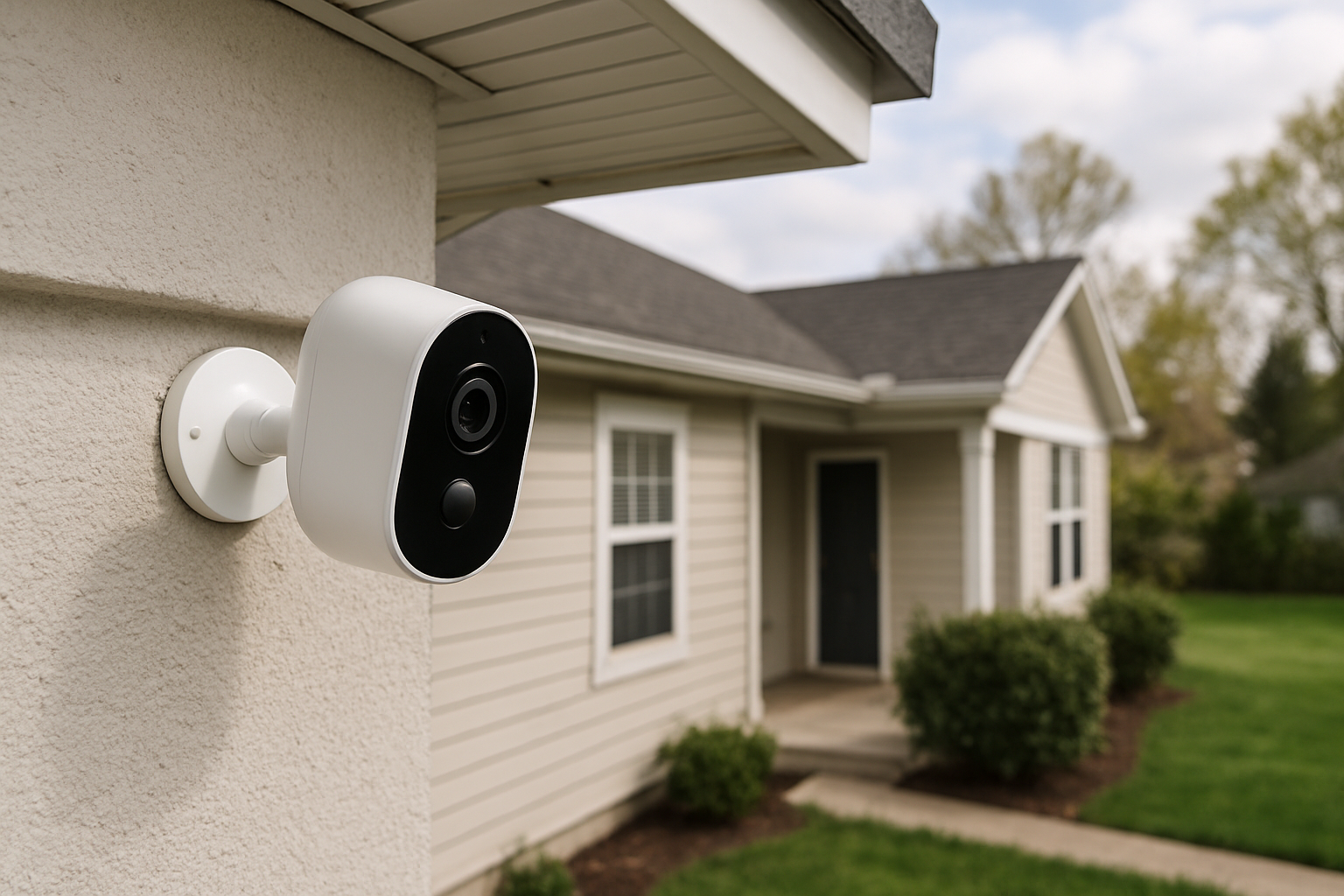
The Best Cheap Home Security Cameras in 2026
A solid home security camera used to cost $200 or more — now you can get genuinely good footage, two-way audio, and motion alerts for under $35. The gap between budget and premium cameras has closed dramatically, and the best cheap home security cameras available right now would have embarrassed mid-range options from just five years ago.
This guide covers the cameras we actually tested, what they cost, what corners they cut, and which one belongs in your home.
Why Affordable Home Security Cameras Are Worth It (And What You're Actually Getting)
Let's be direct: budget cameras do make trade-offs. You're usually giving up something — whether that's local storage, weather resistance ratings, or the slickness of a companion app. But the core job — capturing clear footage of what's happening at your front door, in your living room, or across your driveway — most sub-$50 cameras do that job well.
Here's what you're realistically getting at the $20–$60 price point in 2026:
- 1080p or 2K resolution on almost every camera in this range (4K is still premium territory)
- Motion detection and push alerts — standard across the board
- Two-way audio — common, though audio quality varies
- Night vision — infrared is standard; color night vision requires spending closer to $40–$50
- Cloud storage — often free for short clips (24–48 hours), with paid tiers for longer retention
- Local storage via microSD — hit or miss; some cameras include it, some charge extra for the card
What you're giving up at this price range is usually build quality, longer free cloud history, advanced AI features like package or face detection, and sometimes customer support that's worth calling.
That said, for most people — renters, homeowners who want basic coverage, anyone who just wants eyes on a package delivery — the best cheap home security cameras deliver real value. The return on investment is obvious when you consider a Ring Alarm subscription runs $100/year and a basic Wyze cam costs $35 outright.
One more thing worth saying: camera placement matters more than camera price. A $25 camera in the right spot beats a $200 camera aimed at nothing useful.
How We Tested and Evaluated These Cameras
We evaluated each camera across six criteria:
- Video quality — sharpness, color accuracy, frame rate, and night vision performance
- Motion detection accuracy — how often it triggered correctly versus false alerts from shadows or wind
- App experience — setup time, notification speed, and day-to-day usability
- Storage options — cloud, local, and what's actually free versus paywalled
- Durability and build — especially for outdoor models, IP ratings and real-world weather exposure
- Value — the full cost including subscriptions, not just sticker price
We tested cameras in real home environments: a suburban house with a front porch, a garage, and a backyard with variable lighting. Indoor models were tested in a living room and a hallway. Testing ran over six weeks.
Cameras were evaluated at their stock settings first, then with adjustments to sensitivity and resolution to understand their ceiling.
Best Cheap Home Security Cameras: Top Picks at a Glance
| Camera | Price | Best For | Subscription Needed? |
|---|---|---|---|
| Wyze Cam v4 | ~$36 | Best Overall | No (free tier available) |
| Blink Mini 2 | ~$40 | Best Indoor | No (free local storage) |
| Reolink Argus 4 | ~$55 | Best Outdoor | No |
| TP-Link Tapo C200 | ~$30 | Best No-Sub Option | No |
| Amazon Echo Show 5 + Ring Indoor Cam | ~$50 bundle | Best Smart Home Integration | Optional ($5/mo) |
Best Overall Cheap Home Security Camera
Wyze Cam v4 — ~$36
The Wyze Cam v4 is the easiest recommendation in this entire category. For $36, you get 2K QHD resolution, color night vision, a built-in spotlight, two-way audio, and a surprisingly competent motion detection system. That's a real spec sheet, not a budget-camera compromise list.
What makes it stand out: The free tier on Wyze's cloud storage gives you 14 days of event clips — not just 24 hours like many competitors. That alone separates it from cameras that technically offer free storage but make it useless.
Setup takes about four minutes via the Wyze app. The app itself is clean, fast, and has improved significantly from the clunky early Wyze days. Notifications arrive within 5–10 seconds of a motion trigger in our testing, which is competitive with cameras costing three times as much.
The trade-offs: The Wyze Cam v4 is primarily an indoor camera. It has an IP34 weather rating, which means it can handle some moisture but you wouldn't want it in direct rain. The microSD slot (supports up to 256GB) is great for local storage, but you'll need to supply your own card. Some users have reported occasional cloud connectivity hiccups, though we didn't experience significant issues during our test period.
Verdict: At $36, this is the best cheap home security camera on the market right now. It punches hard enough that you'd need a very specific reason to spend more.
Best Cheap Indoor Security Camera
Blink Mini 2 — ~$40
Amazon's Blink Mini 2 is the sleekest indoor camera in this price range, and it's the easiest to live with on a day-to-day basis. It's compact — roughly the size of a hockey puck — and blends into any room without looking like surveillance equipment. The 1080p image quality is clean, and the wide-angle lens (143 degrees) covers more of a room than most competitors.
What sets it apart: The Blink Mini 2 stores footage locally via a Blink Sync Module 2 (sold separately, ~$35) or to a USB drive plugged into the module. If you already have a Sync Module from another Blink camera, you're golden. If not, factor that into the price.
Blink's free cloud storage gives you 60-day clips of motion events — the longest free retention window we've seen at this price point. It's limited to one camera without a subscription, which is a real limitation if you're planning a multi-camera setup.
The trade-offs: The Blink app is functional but feels a bit slow compared to Wyze or Tapo. You also don't get color night vision at this price — it's standard infrared only. And if you want continuous recording rather than event clips, you'll need the subscription plan ($3/month per camera or $10/month for unlimited cameras).
Verdict: The Blink Mini 2 is the best cheap indoor camera for anyone who hates subscriptions and wants a small, clean device. The 60-day free event storage is legitimately useful.
Best Cheap Outdoor Security Camera
Reolink Argus 4 — ~$55
Outdoor cameras face different demands than indoor ones. Rain, direct sun, temperature swings, and porch thieves who cover cameras before stealing packages — all of that requires a more rugged product. The Reolink Argus 4 handles it.
The Argus 4 is wire-free with a rechargeable battery, carries an IP65 weather rating (fully dust-tight and protected against water jets), and shoots in 4K — rare at this price. It uses color night vision with a built-in spotlight, so nighttime footage actually looks usable rather than washed in that flat green-grey of infrared-only cameras.
What makes it stand out: Battery life. On standard motion-detection settings, the Argus 4 lasted roughly 3–4 months between charges in our testing with moderate traffic. You can add Reolink's optional solar panel (~$25) to make it essentially maintenance-free. That's a wire-free outdoor setup for under $80 total.
The motion detection is solid. It uses PIR (passive infrared) sensors to reduce false alerts from passing cars or blowing leaves — something cheaper cameras often botch.
The trade-offs: At $55, it's the priciest camera on this list. Reolink's app is functional but less polished than Wyze or Ring. Local storage requires a microSD card (up to 128GB), and cloud storage is paid-only through Reolink's subscription plan.
Verdict: For outdoor use specifically, the Reolink Argus 4 is the clear winner in this price bracket. The battery life, IP65 rating, and 4K quality are hard to beat under $60.
Best Cheap Wireless Security Camera With No Subscription
TP-Link Tapo C200 — ~$30
If you refuse to pay a monthly fee for cloud storage — and that's a completely reasonable position — the TP-Link Tapo C200 is your camera. It stores everything locally on a microSD card (up to 256GB, sold separately) and offers optional free cloud storage for 3 days of event clips without requiring a credit card.
The C200 shoots at 1080p with 360-degree horizontal rotation and 114-degree vertical tilt. It's a pan-tilt camera, which means one unit can cover a whole room rather than a static slice. For $30, that's exceptional flexibility.
What makes it stand out: The Tapo app (also used for TP-Link's smart plugs and other devices) is genuinely one of the better budget security apps. It's fast, clear, and the camera integrates with both Amazon Alexa and Google Home for voice control. TP-Link also has a solid track record for firmware support and security patches — not something every budget brand can claim.
The trade-offs: Night vision is infrared only — no color. The pan-tilt motor is slightly audible when the camera moves, which can be noticeable in quiet rooms. Cloud storage beyond 3 days requires Tapo Care ($1.99/month per camera). The camera is indoor-only.
Verdict: The Tapo C200 is the pick for subscription-avoiders who want local storage control and a pan-tilt view. At $30, it's the best value for the feature set. For anyone building a cheap best home security camera system without recurring fees, a few of these paired with a local NAS or NVR is a smart setup.
Best Cheap Smart Home Security Camera (Alexa & Google Compatible)
Ring Indoor Cam (2nd Gen) — ~$50
If your home already runs on Amazon Echo devices, the Ring Indoor Cam slots in more naturally than any other camera on this list. Pull up a live view on your Echo Show 8 by saying "Alexa, show me the living room" and it just works — no fumbling with apps.
The 2nd Gen Ring Indoor Cam shoots in 1080p with HDR, includes a privacy shutter (a physical cover you can close with the app — useful for home offices or bedrooms), and has a compact, unobtrusive design. Two-way audio is clear. Motion zones are customizable.
What makes it stand out: Ecosystem integration is genuinely seamless. If you have a Ring Alarm, Ring Video Doorbell, or any other Ring device, everything appears in one app with shared history and linked alerts. For households that want one app to rule everything, this wins.
The trade-offs: Ring's subscription is basically expected. The free tier gives you live view only — no saved clips. Ring Protect Basic runs $4.99/month per camera ($49.99/year) or $10/month for all Ring devices. That changes the cost math significantly over 2–3 years. Also, Ring's privacy history with Amazon data sharing is a concern worth researching if that matters to you.
Verdict: The Ring Indoor Cam is the best cheap smart home security camera if you're already in the Amazon ecosystem. Just go in knowing the subscription cost is part of the deal.
Cheap Home Security Cameras Compared: Full Specs Table
| Camera | Resolution | Night Vision | Storage | Weather Rating | Subscription | Price |
|---|---|---|---|---|---|---|
| Wyze Cam v4 | 2K QHD | Color | Cloud (14-day free) + microSD | IP34 | Optional | ~$36 |
| Blink Mini 2 | 1080p | Infrared | Cloud (60-day free) + local | Indoor only | Optional | ~$40 |
| Reolink Argus 4 | 4K | Color | microSD + paid cloud | IP65 | Optional | ~$55 |
| TP-Link Tapo C200 | 1080p | Infrared | microSD + 3-day free cloud | Indoor only | Optional | ~$30 |
| Ring Indoor Cam (2nd Gen) | 1080p HDR | Infrared | Paid cloud only | Indoor only | Recommended | ~$50 |
What to Look for Before You Buy a Cheap Home Security Camera
Resolution Actually Matters (But Not in the Way You Think)
1080p is fine for most use cases. You're looking for faces, license plates, or package thieves — not cinematic detail. That said, 2K and 4K cameras give you more useful digital zoom after the fact, which matters when you're reviewing footage and trying to read a car's plate. If you're covering a wide driveway or large yard, bump up to 2K or 4K.
Free Storage: Read the Fine Print
"Free cloud storage" on a budget camera often means 24–48 hours of event clips, or clips that require a subscription to download. Check exactly how long clips are retained, whether you can actually save them without paying, and what happens if you exceed the free tier. Wyze's 14-day free retention and Blink's 60-day window are genuine standouts here.
Subscription Costs Add Up
A $30 camera with a $5/month subscription costs $90 in year one and $60 every year after. A $50 camera with local microSD storage and no subscription costs $50 total. Do the math before you buy. For best cheap home security systems with cameras across multiple rooms or zones, subscription fees compound fast.
Indoor vs. Outdoor Ratings
Don't put an indoor camera outside. IP34 (the Wyze Cam v4's rating) means limited splash protection — fine under a covered porch, not fine exposed to rain. You need at least IP65 for reliable outdoor use in variable weather.
Two-Way Audio Quality
All these cameras have it, but there's a wide gap in quality. Ring's audio is clear and natural. Tapo C200's is decent. Some budget cameras have a noticeable lag or tinny sound that makes it feel like talking through a can. Check YouTube reviews with audio tests if this feature matters to you.
App Security and Privacy
This sounds boring until your camera footage ends up somewhere it shouldn't. Stick to established brands with a track record of firmware updates and transparent privacy policies. Wyze, TP-Link, Ring, Reolink, and Blink all have documented security track records — some imperfect, but all actively maintained. Avoid no-name brands from unknown manufacturers with no traceable support structure.
Frequently Asked Questions About Affordable Home Security Cameras
Do cheap home security cameras actually work?
Yes — with realistic expectations. A $35 Wyze Cam v4 records clear 2K footage, sends motion alerts within seconds, and stores two weeks of event clips for free. That's not a consolation prize. It's a capable security tool. Where budget cameras fall short is in build quality longevity, advanced AI features, and sometimes customer support responsiveness.
Are home security cameras worth it without a subscription?
Absolutely. Local storage via microSD means your footage is saved regardless of any cloud service. The TP-Link Tapo C200 and Reolink Argus 4 both work effectively without paying a monthly fee. The main thing you lose without a subscription is off-site backup — if someone steals the camera, your footage goes with it. A workaround: enable instant clip uploads to a free cloud tier, even if retention is short.
What's the minimum I should spend on a home security camera?
Spend at least $25–$30. Below that, you're generally looking at cameras with poor apps, unreliable motion detection, no local storage option, and manufacturers who won't be around in two years. The TP-Link Tapo C200 at ~$30 is the floor for a camera you can actually trust.
Can I use cheap security cameras without Wi-Fi?
Most cameras in this price range require Wi-Fi for setup and remote viewing. Some, like the Reolink Argus 4, can record locally to a microSD card even when Wi-Fi drops — so footage isn't lost during an outage. True offline-only systems typically require an NVR (network video recorder) setup, which is a different category.
How many cameras do I actually need?
For a typical home, three cameras cover 80% of what matters: front door, back door, and one interior room (living room or garage access point). A small apartment usually needs just one well-placed indoor camera. Don't over-buy — four poorly placed cameras are worse than two good ones in the right spots.
Your next step: Pick your primary concern — indoor coverage, outdoor weather resistance, or subscription avoidance — and buy accordingly. The Wyze Cam v4 is the right default for most people. If you're going outside, get the Reolink Argus 4. If you hate monthly fees with a passion, go Tapo C200. Order one camera, test it for a week, then decide if you need more coverage. Don't overthink a $36 decision.