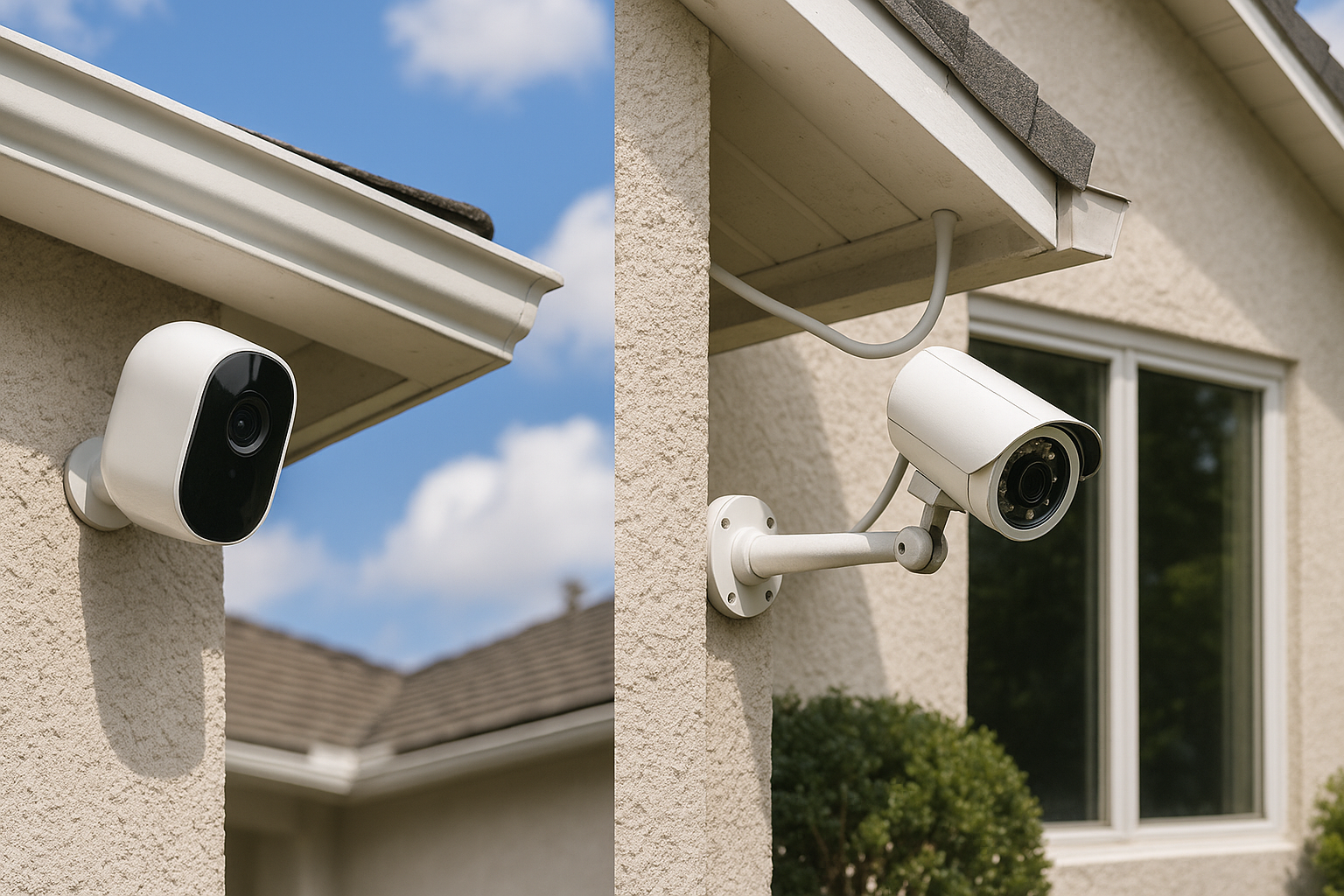
What Are Wireless and Wired Home Security Cameras?
About 34% of burglars enter through the front door — and most are deterred by visible cameras before they even try. Whether you choose wireless or wired, a camera is one of the most effective deterrents you can install. The confusion kicks in when you're trying to figure out which system actually fits your home, budget, and technical comfort level.
Wired security cameras connect to your home's network and power supply through physical cables — typically coaxial (for analog systems) or ethernet (for IP/PoE cameras). They record footage to a local DVR or NVR unit. Wireless cameras (including Wi-Fi and truly wire-free battery-powered models) transmit footage over your home's Wi-Fi network or cellular connection, and either store it locally or upload it to the cloud.
There's also an important distinction within wireless cameras: Wi-Fi cameras still need a power cable plugged into an outlet, while wire-free cameras run entirely on batteries or solar. That difference matters a lot when you're planning where and how to mount them.
Key Differences Between Wireless and Wired Security Cameras
The core trade-off comes down to convenience versus robustness. Wireless cameras are faster to set up and easier to reposition. Wired cameras are more stable, harder to disrupt, and generally better for long-term whole-home coverage.
Here's a quick-reference breakdown:
| Feature | Wireless | Wired |
|---|---|---|
| Installation complexity | Low–Medium | Medium–High |
| Signal reliability | Wi-Fi dependent | Very stable |
| Power source | Outlet or battery | Hardwired |
| Upfront cost | $30–$250/camera | $80–$300/camera + DVR/NVR |
| Flexibility | High | Low |
| Subscription fees | Often required | Usually optional |
How Each System Handles Power and Connectivity
Wired cameras pull power directly from your home's electrical system — either through a dedicated cable or Power over Ethernet (PoE), which is the cleaner modern approach. PoE cameras like the Reolink RLK8-800B4 run both power and data through a single ethernet cable back to an NVR unit. No outlets needed near each camera. No Wi-Fi dependency. The signal is as stable as your home network.
Wi-Fi cameras need a power outlet within reach (unless they're battery-powered) and rely on your router's signal strength. If your Wi-Fi drops, your camera goes dark. Battery-powered cameras like the Arlo Pro 4 or Ring Spotlight Cam Battery sidestep the outlet problem but introduce a new one: you're recharging or swapping batteries every one to six months, depending on how much motion activity your camera sees.
Solar-powered options — like the Eufy SoloCam S340 — can offset battery drain, but they still require consistent direct sunlight, so placement options are limited.
Pros and Cons of Wireless Security Cameras
Pros
- Fast, simple installation — most people can mount a Wi-Fi camera in under 30 minutes with a drill and a screwdriver
- Flexible placement — battery models go virtually anywhere, including locations with no outlet access
- Easy to expand — adding a camera doesn't require running new cables through walls
- Remote access is built in — apps like Arlo, Ring, and Eufy are genuinely well-designed for real-time viewing and alerts
- Renters-friendly — minimal damage to walls and easy to take with you when you move
Cons
- Wi-Fi dependency — a dead router or spotty signal means blind spots in your coverage
- Ongoing costs — most good wireless systems charge for cloud storage (Ring Protect runs $10/month for unlimited cameras; Arlo Secure is $12.99/month per camera or $17.99/month for the home plan)
- Battery maintenance — wire-free cameras need recharging, which is easy to forget until you need the footage
- Signal interference — neighbors' networks, microwaves, and thick concrete walls can all degrade performance
- More hackable surface area — anything on your Wi-Fi network can be a target if your network security is weak
Pros and Cons of Wired Security Cameras
Pros
- Consistent, uninterrupted recording — no Wi-Fi required; footage goes directly to local storage 24/7
- Higher resolution options — 4K wired PoE cameras are widely available at lower price points than 4K wireless equivalents
- No subscription fees — most NVR/DVR systems record locally with no monthly cost
- Longer lifespan — hardwired systems from brands like Hikvision or Amcrest routinely last 8–12 years
- Tamper resistance — someone cutting power or jamming Wi-Fi won't take your cameras offline the same way
Cons
- Complex installation — running cable through walls, attics, or crawl spaces is a real job, especially in existing homes
- Less flexible — repositioning a camera means rerouting cable
- Upfront cost is higher — a solid 8-camera PoE system like the Reolink RLK8-800B8 runs around $400–$500 before any professional installation costs
- Power outage vulnerability — unless you add a UPS (uninterruptible power supply), wired systems go down when the power does
Installation Difficulty and Cost Comparison
Honest home camera installation comparison: wireless wins on simplicity, wired wins on permanence.
A basic wireless setup — say, three Wyze Cam v4 cameras at $35 each — costs around $105 total, takes an afternoon, and requires no special skills. The app setup takes another 20 minutes.
A wired PoE system covering the same three locations is a different conversation. The cameras and NVR might cost $200–$350, but if you're running cable through finished walls, you're either spending a weekend in the attic or paying an electrician or low-voltage installer $75–$150/hour. A four-camera professional installation often runs $300–$600 in labor alone.
New construction or a renovation? Do the wired system while walls are open. The labor cost drops dramatically.
Existing home with finished drywall? Wireless is the practical default unless you're committed to the project or hiring it out.
Video Quality, Reliability, and Performance Head-to-Head
Five years ago, wired cameras had a clear video quality advantage. That gap has narrowed significantly. Modern Wi-Fi cameras like the Arlo Ultra 2 and Eufy S380 shoot 4K video wirelessly with solid night vision.
That said, wired cameras still have an edge in consistency. A wireless camera compresses footage before transmitting it over Wi-Fi, which can degrade detail during fast motion. Wired PoE cameras send raw or minimally compressed video to the NVR, which typically produces cleaner, more detailed footage at equivalent megapixel counts.
Wireless camera reliability is also more variable. In testing, cameras in homes with congested Wi-Fi networks (lots of smart devices competing for bandwidth) show more dropped frames, delayed alerts, and occasional disconnections. Wired cameras simply don't have this problem.
For live monitoring where every second counts — a business, a home with young children, or a property in a higher-crime area — wired systems deliver more peace of mind.
Which Is More Secure From Hacking and Signal Interference?
Wired cameras on a local NVR are significantly harder to hack remotely because they don't need to communicate with an external server. The footage sits on your hardware. No cloud account to compromise, no third-party server to breach.
Wireless cameras that rely on cloud storage are only as secure as the platform hosting them — and their security track record is mixed. Ring, Wyze, and Arlo have all had documented security incidents in recent years. That doesn't mean they're unusable, but it means strong, unique passwords, two-factor authentication, and a dedicated IoT VLAN on your router are non-negotiable if you're running wireless cameras.
Signal jamming is a real, though still relatively rare, threat. Battery-powered wireless cameras can be knocked offline by RF jammers, which are unfortunately not hard to obtain. A determined burglar who knows what they're doing can potentially disrupt wireless coverage before entering. Wired cameras with local recording are immune to this.
Best Use Cases: When to Choose Wireless vs. Wired
Choose wireless if: - You're renting and can't make permanent modifications - You need cameras in locations without easy cable access (detached garages, back fences, sheds) - You want a system up and running this weekend without professional help - Your priority is remote monitoring and smart home integration
Choose wired if: - You own your home and plan to stay long-term - You want 24/7 continuous recording without subscription fees - You're covering a large property (4+ cameras) where Wi-Fi signal is inconsistent - You want maximum reliability with minimal maintenance after setup
How Home Size and Layout Affect Your Decision
A 1,200-square-foot apartment with thick concrete walls and weak Wi-Fi in the back bedroom is a bad environment for wireless cameras. A 3,000-square-foot house with a strong mesh Wi-Fi network and cameras only at entry points is fine.
Mesh Wi-Fi systems (like Eero Pro 6E or Google Nest WiFi Pro) meaningfully improve wireless camera performance in larger homes by eliminating dead zones. If you're going wireless, a mesh network isn't optional — it's the foundation.
Wired systems scale better on large properties. Eight-camera PoE systems are common, and adding cameras later means running one cable per camera to a central NVR — predictable and clean. For rural properties, vacation homes, or anyone monitoring a workshop or barn far from the house, cellular-connected cameras like the Reolink Go PT Ultra are a separate category worth considering.
Total Cost of Ownership: Upfront, Installation, and Ongoing Fees
Wireless (3-camera setup, mid-range): - Hardware: ~$150–$400 - Installation: DIY, $0 - Subscription: $10–$18/month ($120–$216/year) - 3-year total: ~$510–$1,050
Wired PoE (3-camera setup, mid-range): - Hardware (cameras + NVR): ~$250–$500 - Installation: DIY or $300–$600 professional - Subscription: $0 (local storage) - 3-year total: ~$550–$1,100
Over three years, wired security camera advantages on ongoing costs are real but not as dramatic as people expect — especially if you factor in professional installation. Where wired pulls ahead is at scale: a 6–8 camera system with no subscription fees beats the wireless equivalent over time by $500–$1,000 or more.
Our Verdict: Which Type of Home Security Camera Is Right for You?
For most renters, apartment dwellers, and first-time buyers who want something functional fast: go wireless. Start with three or four cameras — front door, back door, and one interior — using something like the Eufy Indoor Cam 2K ($30–$40 each) or Arlo Pro 4 for outdoor use. Keep your router strong and your passwords stronger.
If you own your home, plan to stay, want to cover more than four locations, or simply want footage you can trust without worrying about cloud subscriptions and Wi-Fi hiccups: go wired. Budget for a PoE system from Reolink or Hikvision, and if your walls are already open for any reason, run the cable now.
The "wireless vs wired home security cameras" debate rarely has a universal answer — but it almost always has the right answer for your specific situation. Figure out your ownership status, your layout, and your appetite for ongoing maintenance, and the decision gets simple fast.
Next step: Measure the distance from your router to each planned camera location, then run a Wi-Fi speed test at those spots. If you're getting under 5 Mbps or dropping signal entirely, you already know which way to go.